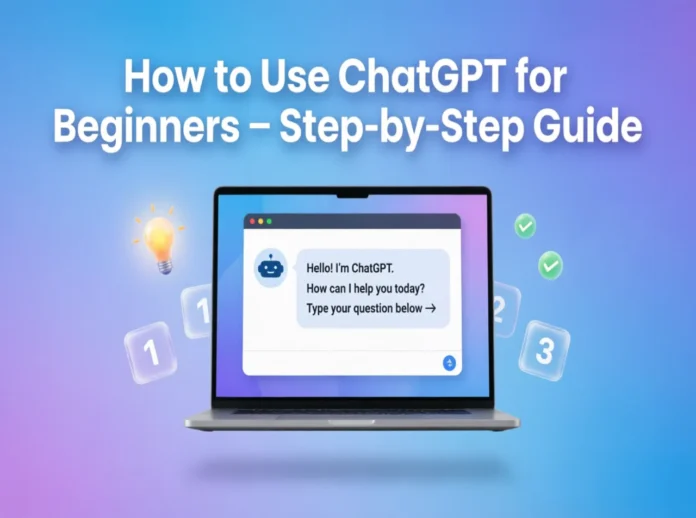
Learning how to use ChatGPT for beginners can feel confusing at first, but it quickly becomes one of the most useful skills you’ll pick up online. You’re here because you want clear answers, not technical jargon or guesswork. This guide shows you exactly how to start, what to type, and how to get better results fast using simple, real-world examples.
What Is ChatGPT and How Does It Work?
ChatGPT is an AI chatbot that understands your questions and responds in natural language. It’s built to help with writing, research, coding, brainstorming, and everyday tasks.
You type a prompt, and the system generates a response based on patterns it learned from massive datasets. The quality of the answer depends heavily on how clearly you ask your question.
The latest versions can handle complex tasks like summarizing long documents, generating code, and even analyzing tone in writing. That’s why beginners often feel overwhelmed at first.
Here’s the thing, though—once you understand the basics of prompting, everything becomes easier and more predictable.
Why Prompts Matter
A vague prompt like “tell me about marketing” gives a generic answer. A specific prompt like “explain digital marketing for a small bakery with a $500 budget” produces a far more useful result.
The more context you provide, the better the output becomes. This is the biggest gap beginners usually miss.
Pro Tip: Treat ChatGPT like a skilled assistant, not a search engine. Give it clear instructions.
How to Set Up ChatGPT for the First Time
Getting started takes less than five minutes, but doing it right makes a difference.
First, create an account using your email or Google login. Once inside, you’ll see a chat interface where you can type your prompts.
Free users get access to core features, while paid plans like ChatGPT Plus (around $20/month) offer faster responses and access to more advanced models.
After logging in, test a simple prompt like “write a short email asking for a meeting.” This helps you understand how responses are structured.
Now, let’s talk about something most guides skip—settings and customization.
Adjusting Basic Settings
You can control things like response style, memory preferences, and interface options depending on the version you’re using.
Some versions allow you to save preferences like tone or writing style. This means you won’t have to repeat instructions every time.
It may seem small, but this can save hours if you use ChatGPT regularly.
Pro Tip: Start simple, then refine your setup as your needs grow.
How to Write Your First Prompt (The Right Way)
Your first prompt sets the tone for everything that follows. Most beginners either overcomplicate it or make it too vague.
Start with a clear goal. For example, “Write a 150-word Instagram caption for a fitness brand targeting beginners.”
Notice how that includes purpose, length, and audience. That’s what makes it effective.
Now, improve it by adding tone and format. You could say “Make it motivational and friendly, with short sentences.”
Suddenly, the output becomes much more aligned with what you want.
Adding Context for Better Results
Context is the difference between average and excellent results.
If you’re asking for a blog post, include your target audience, word count, tone, and key points. If you’re asking for code, include the programming language and expected output.
For example, “Write a Python script that scrapes product prices from an eCommerce site and outputs them in CSV format.”
That level of detail removes confusion and reduces the need for revisions.
Pro Tip: If the answer isn’t right, don’t restart. Just refine your prompt.
Common Ways Beginners Use ChatGPT
Most people start with simple tasks, but the real power shows when you go deeper.
You can use ChatGPT for writing emails, generating blog content, summarizing PDFs, or even planning a business idea. It adapts based on your input.
Students often use it for explanations. For example, asking “Explain photosynthesis like I’m 10 years old” gives a simplified breakdown.
Freelancers use it for client communication, proposals, and content creation. A well-structured prompt can produce a $100-quality output in seconds.
Here’s where it gets interesting—ChatGPT can also act as a learning tool.
Using ChatGPT to Learn Faster
You can ask it to explain complex topics step by step. For example, “Teach me basic HTML in 30 minutes with examples.”
It breaks down information in a conversational way, which makes it easier to understand compared to traditional resources.
You can even ask follow-up questions to clarify confusion instantly.
Pro Tip: Use ChatGPT like a tutor. Ask “why” and “how” questions to deepen understanding.
Mistakes Beginners Should Avoid
Most beginners make the same few mistakes, and they limit results more than anything else.
One common mistake is expecting perfect answers from vague prompts. ChatGPT works best when guided clearly.
Another issue is not verifying information. While ChatGPT is powerful, it can sometimes produce outdated or incorrect details.
There’s also the habit of starting a new chat for every question. Keeping context in one thread often produces better results.
Over-Reliance Without Editing
Some users copy responses without reviewing them. That’s risky, especially for professional or academic work.
Always read, edit, and personalize the output. Think of ChatGPT as a draft generator, not a final authority.
Pro Tip: Use ChatGPT to speed up work, not replace critical thinking.
Important Tips for How to Use ChatGPT for Beginners
Start by being specific with your prompts. Clear instructions lead to better results, especially when you include details like tone, format, and audience.
Keep refining your prompts instead of starting over. Small adjustments can dramatically improve output quality without wasting time.
Use follow-up questions to improve responses. Asking “make it shorter” or “add examples” helps fine-tune results instantly.
Experiment with different styles and tones. You’ll quickly learn how ChatGPT adapts to various writing needs.
Avoid relying on it for sensitive or highly technical decisions without verification. Always cross-check important information.
Save useful prompts for future use. This builds your own library of high-performing instructions over time.
Stay consistent with practice. The more you use ChatGPT, the better you understand how to get the exact results you want.
Frequently Asked Questions
Is ChatGPT free for beginners?
Yes, ChatGPT offers a free version with core features that are enough for most beginners. Paid plans unlock faster responses and more advanced capabilities.
What should I type first in ChatGPT?
Start with a simple, clear request like writing an email or explaining a topic. Focus on being specific about what you want.
Can ChatGPT replace Google search?
Not entirely. ChatGPT is better for explanations and content generation, while search engines are still more reliable for real-time and verified information.
How accurate is ChatGPT?
It’s generally accurate for common topics but can make mistakes, especially with recent data. Always verify important details before using them.
Do I need technical skills to use ChatGPT?
No, you don’t need any technical background. If you can type a question clearly, you can use ChatGPT effectively.
Conclusion
Learning how to use ChatGPT for beginners comes down to one core skill—writing better prompts.
Clear instructions, added context, and smart follow-ups turn average answers into powerful results. That’s what separates casual users from those who get real value.
Focus on practicing daily, refining your prompts, and reviewing outputs before using them. These small habits make a huge difference.
Start experimenting today, and you’ll quickly see why mastering how to use ChatGPT for beginners is one of the most valuable digital skills right now.