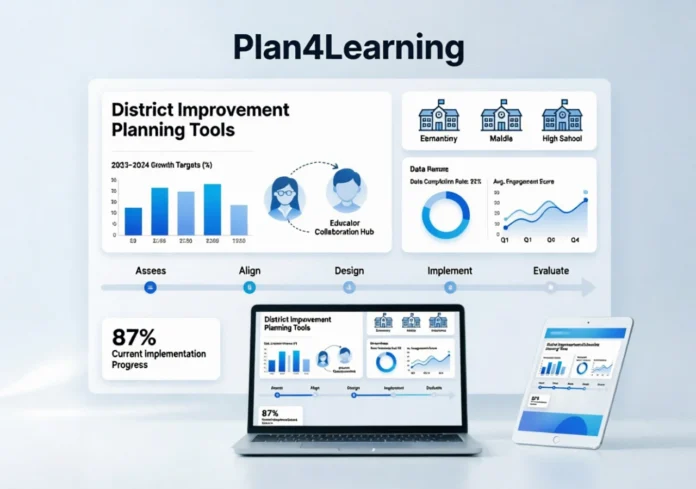
This article explains what Plan4Learning is, how it works, and what sets it apart from generic planning tools. It covers core features, compliance capabilities, real user feedback, and practical considerations for district leaders evaluating the platform. If you’re researching whether Plan4Learning fits your district’s needs, this is where to start.
Plan4Learning is a web-based district improvement planning platform developed by 806 Technologies. It helps school districts and campuses create Campus Improvement Plans (CIPs) and District Improvement Plans (DIPs), track progress in real time, manage federal compliance requirements, and streamline budget documentation — all within a single, cloud-based system used by over 340 districts across the United States.
Managing a Campus Improvement Plan shouldn’t feel like a compliance marathon. Yet for many district administrators, it does — stacks of documentation, federal requirements, budget tracking, and goal-setting all tangled together in outdated processes.
Plan4Learning was built specifically to solve that problem. Designed by educators for educators, it simplifies the improvement planning process by streamlining key steps and ensuring compliance across the board — so campuses can focus on actual student outcomes, not checkbox exercises.
This guide covers everything a district leader, administrator, or edtech buyer should know: what the platform does, how it works, what users say, and whether it’s worth evaluating for your district.
What Is Plan4Learning?
Plan4Learning is an online educational planning platform designed to help schools and districts organize improvement plans, align goals with academic standards, monitor progress, and maintain compliance. It serves as a one-stop system for creating structured plans, analyzing performance data, and supporting continuous school improvement.
The software is a product of 806 Technologies, a Dallas-based company dedicated to digitizing and automating the improvement plan creation process and the management and documentation of federal programs. Their team is made up of former educators and administrators who bring first-hand insight to software development.
The origin story matters here. CEO and founder Ross Laughter developed Plan4Learning in 2008 for his mother, an assistant superintendent whose district’s continuous improvement plans were being passed from leader to leader on a floppy disk. Sixteen years later, his company’s solutions are used in 40 states and help roughly 20 percent of the nation’s schools.
That grounding in real administrative frustration is visible in how the product is built. It isn’t a general project management tool retrofitted for education. It was purpose-built for the specific, compliance-heavy work of improvement planning.
How Plan4Learning Works
The workflow is straightforward, which is part of the point.
Schools create an account and set up their campus or district profile. Users then add goals, strategies, action steps, and assign responsibilities. Progress can be tracked with real-time updates, and plans can be edited based on feedback or changing requirements. Reports can be generated for staff meetings, audits, or parent updates. Finally, analytics help teams refine strategies and improve outcomes over time.
Because the software is web-based, there are no complicated installations, and updates are automatically provided to all current subscribers at no charge. Plans are stored in the Plan4Learning database and available 24 hours a day, seven days a week — accessible anywhere with an internet connection.
That accessibility matters in a district context, where principals, curriculum directors, and central office staff may all need access to the same document at different times.
Core Features of Plan4Learning
Campus and District Improvement Plan Creation
Plan4Learning aids in the creation of a district or campus improvement plan — an annually updated document used to assess needs, set improvement goals, create action plans, and drive decision-making about budgeting, curriculum, staffing patterns, staff development, and school organization.
The structured plan-building interface lets teams work from a single shared document rather than email chains and disconnected spreadsheets.
Real-Time Progress Monitoring
Plan4Learning offers dashboards and alerts to help administrators monitor which goals are on track, which need adjustments, and where additional support is required. Visual charts and real-time updates ensure accountability and make it easier to take corrective action.
This is one of the platform’s more practical differentiators. Instead of reviewing a plan once at the start of the year and revisiting it for an end-of-year audit, teams can check in continuously.
Compliance Documentation
Schools face multiple regulations at local, state, and federal levels. Plan4Learning organizes compliance tasks by storing all necessary documentation in one place, linking objectives to state and district requirements, and assigning responsibilities to specific staff members.
Funding Summary and Budget Tracking
Plan4Learning automatically generates a funding summary page at the end of each improvement plan, giving administrators a quick view of which funds and dollar amounts are being used at any given campus or district.
That automated summary reduces manual reconciliation and makes budget conversations significantly easier during reviews.
AI-Assisted Needs Assessment
806 Technologies introduced “Ask AI,” a secure feature that helps simplify needs assessments, making the process faster and more effective. With this tool, educators can quickly analyze data to uncover the root causes behind their challenges.
By fall 2023, the AI feature was integrated into Plan4Learning and ready for beta testing. According to the company’s Chief Learning Officer, testers reported that the AI tool helped them be more thoughtful and intentional about what to include. It also provided new leaders with the necessary context on how needs assessment and planning processes should flow, acting as a thinking partner along the way.
Tiered Access and Collaboration
Role-based permissions allow multiple users to access the platform simultaneously — teachers, administrators, and district staff — enabling real-time collaboration from anywhere, including mobile devices and tablets.
District power users with the highest level of tiered access can enter data into both the district plan and any campus plans.
Plan4Learning for Compliance: Why It Matters
Compliance is the part of improvement planning that consumes the most time and carries the most risk. Missing a required component in a Campus Improvement Plan or District Improvement Plan can trigger state intervention or jeopardize federal funding.
Plan4Learning enables campuses and districts to develop improvement plans that comply with state and federal laws and create measurable advancements in student performance. Tech trainers — who are described as improvement planning experts with extensive school administration experience — set the LEA up for success with high-quality training from the start.
The platform serves districts in multiple states, including Texas (where it originated) and California, where it supports School Plans for Student Achievement (SPSA) requirements. Plan4Learning SPSA software makes it easy for districts and campuses to create school plans that improve student performance and ensure compliance with state and federal laws.
Plan4Learning Reviews: What Users Say
User feedback on Plan4Learning tends to cluster around a few consistent themes: ease of use, time savings, and quality of support.
Barbara Ybarra, Associate Superintendent of Teaching & Learning at Bryan ISD, noted that the platform has allowed their district and campuses to stay focused on the strategies and actions that will ultimately ensure student success. Javier Villanueva, a Central Office Administrator at Donna ISD, called it “the perfect solution” after years of struggling to manage improvement plans.
Courtney Hart, Ph.D., Federal Programs Director, described the transition as being “like turning on a light switch” for their CIP process, calling it the best platform she works on.
Gary Nye, Ed.D., Director of Assessment and Accountability at Frisco ISD, noted that while the team was initially anxious about transitioning 68 campuses to the new platform, 806 Technologies provided support each step of the way, resulting in a positive, successful district-wide implementation.
The pattern across reviews is consistent: administrators who were skeptical about switching become advocates after onboarding. The support model — staffed by former educators — appears to be a meaningful part of that experience.
Who Should Use Plan4Learning?
Plan4Learning fits best in these scenarios:
School districts managing multiple campuses. The tiered access model and centralized data make it much easier for district-level staff to monitor plans across every school without chasing down individual files.
Districts under state accountability pressure. If your district is navigating improvement requirements at the state level, having a platform that structures those requirements into the planning process reduces both risk and administrative burden.
New administrators or principals. The AI-assisted needs assessment and structured workflow give new leaders a framework for their first planning cycle, reducing the learning curve that typically comes with the role.
Federal programs coordinators. Title I documentation, fund tracking, and compliance requirements are woven into the platform’s architecture, not bolted on as an afterthought.
With more than 50,000 school leaders annually using Plan4Learning to manage thousands of Campus Improvement Plans and District Improvement Plans, the platform has a broad and established user base.
How Plan4Learning Compares to Other Education Planning Tools
Most districts that evaluate Plan4Learning are comparing it to one of three alternatives: spreadsheet-based processes, generic project management tools (like Asana or Monday.com), or state-provided planning templates.
The key distinction is specificity. General tools require significant customization to accommodate compliance requirements, funding summaries, and state-aligned goal structures. Plan4Learning builds those frameworks in from the start. That reduces setup time and eliminates the risk of creating a plan that looks complete but misses required elements.
What started as a solution for floppy disk planning has grown into a powerful, cloud-based tool used by school districts across the nation — now operating in 40 states and supporting roughly 20 percent of U.S. schools.
That scale matters. A platform used widely across diverse state regulatory environments tends to be better at staying current with compliance requirements than something built in-house or adapted from a generic tool.
Pricing and Access
Plan4Learning operates on an annual subscription model. Pricing is not publicly listed and is typically customized based on district size and number of campuses. When a subscription expires, improvement plans remain stored in the Plan4Learning database for ten years and are available for viewing, providing long-term access to historical plans.
Districts interested in the platform can request a demo or trial through the 806 Technologies website. Given that the onboarding process includes training from experienced improvement planning staff, the demo conversation is also a practical way to assess fit.
Is Plan4Learning Worth It?
For districts still managing improvement plans through Word documents, email attachments, or cobbled-together spreadsheets, the answer is almost certainly yes. The time savings alone — on documentation, compliance tracking, and budget summaries — justify the evaluation.
For districts that already have a structured process, the question is whether Plan4Learning’s AI-assisted features, real-time monitoring, and multi-campus oversight add enough beyond what’s already working.
The platform’s longevity — over 15 years of serving districts across the United States, starting in Texas and expanding nationally — suggests it has stayed relevant through significant shifts in education policy and technology. That track record is meaningful for a category of software where continuity and reliability matter.
Conclusion
Plan4Learning isn’t trying to be everything to everyone in edtech. It does one thing well: making improvement planning manageable, compliant, and connected to actual student outcomes. For the administrators and district leaders who live inside these plans every year, that focus has real value.
If you’re evaluating district improvement planning software, Plan4Learning is worth a direct look. Request a demo from 806 Technologies to see how it maps to your district’s specific compliance requirements and planning workflow.
Frequently Asked Questions
What is Plan4Learning used for? Plan4Learning is used to create, manage, and monitor Campus Improvement Plans (CIPs) and District Improvement Plans (DIPs). It helps districts set goals, track progress, manage federal program documentation, and maintain compliance with state and federal education requirements.
Is Plan4Learning only for Texas school districts? No. While it originated in Texas, Plan4Learning is now used in 40 states. It supports various state-specific planning frameworks, including SPSA requirements for California districts.
Does Plan4Learning support federal compliance planning? Yes. The platform is built to incorporate federal and state compliance requirements directly into the planning structure, including Title I documentation and funding summaries.
How does Plan4Learning compare with generic project management tools? Unlike general tools, Plan4Learning is purpose-built for education improvement planning. It includes compliance frameworks, funding summaries, tiered access for multi-campus districts, and AI-assisted needs assessment — features that would require extensive customization to replicate in a generic platform.
Does Plan4Learning offer training and support? Yes. 806 Technologies provides training through staff described as improvement planning experts with school administration backgrounds. Onboarding support has been frequently cited as a strength in user feedback.
What happens to plans if a district ends its subscription? Plans remain stored and accessible for viewing in the Plan4Learning database for ten years after a subscription expires.