Your talent deserves more than a scattered brain and a hard drive full of unfinished client work.
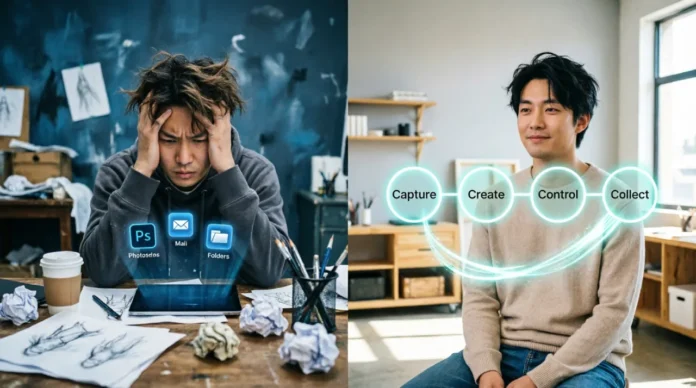
Every morning you sit down to create, you’re already losing a battle most artists don’t even know they’re fighting. The enemy isn’t a lack of inspiration—it’s the invisible drain of switching between six apps, hunting for references, wondering if you sent that invoice, and feeling guilty that you’re not painting fast enough. You’re here because you want a system that protects your art time instead of stealing it. I’ll show you exactly how to build a complete creative productivity operating system that lets you make more art, better art, and actually enjoy the process.
The Artist’s New Reality: Why Raw Talent Needs a Tech Backbone
Research consistently shows that 73% of freelance creatives say administrative chaos and fragmented workflows are the biggest barriers to their output. The average digital artist now switches between four to six different applications for a single project. You might sketch in Procreate, refine in Photoshop, build a mockup in Figma, gather references in PureRef, deliver via Dropbox, and invoice through yet another tool. Every context switch shatters your focus.
Here’s the part most productivity articles miss. Creative people don’t need a rigid corporate framework. They need a flexible, tech-enabled system that handles the grunt work so their brain can stay in flow. The tools exist. The techniques exist. They just haven’t been stitched together in a way that honors how an artist’s mind actually works.
Building Your Creative OS: A 4-Part Productivity Framework
Every artistic workflow revolves around four critical phases: Capture, Create, Control, and Collect. Most artists stumble through these phases reactively. An intentional Creative OS turns them into a seamless pipeline that removes friction instead of adding more to-do lists. This isn’t another productivity app list. It’s a mindset shift where technology serves as a quiet assistant, not a demanding boss.
Phase 1 – Capture: From Chaotic Inspiration to Actionable Idea Vault
Inspiration hits at weird times. Without a capture system, those sparks become another open browser tab you’ll never revisit. The goal is to externalize every idea, reference, and note into a single trusted place you can retrieve in seconds.
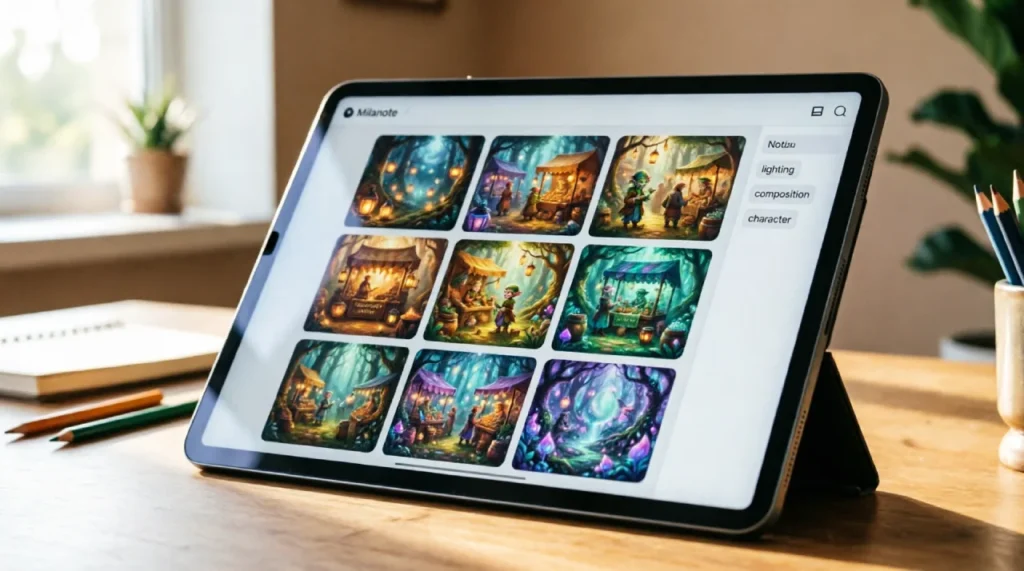
Milanote, at $9.99 per month, acts like an infinite corkboard where you can drag in images, notes, and links. The visual layout matches how your brain works, not how a spreadsheet works. For text-based organization, Notion’s free plan gives you a database powerhouse. Use the Notion Web Clipper to save references, tutorials, or briefs with one click. Tag everything ruthlessly. When you start a new piece, you search your own curated idea vault and get to work in minutes.
You can now generate an entire mood board in thirty seconds using AI. Open Midjourney and ask for ten rough composition thumbnails of your subject. You just saved two hours of sketching that you can now invest in rendering the final piece. You’re using AI as a hyper-efficient research assistant that never gets tired—never as the final artist.
Phase 2 – Create: Engineering Deep Work & Fighting Digital Friction
The moment you pick up the pen, your environment either supports your flow or silently sabotages it. Artists using a structured project management approach report a 40% reduction in missed deadlines because they eliminate the guesswork that surrounds the actual art-making.
Your first weapon against friction is batch processing. Do all your flatting for three commissions on Monday morning. Batch export all client previews on Thursday afternoon. When you sit down to create, the only thing in front of you is the canvas and the reference board you pre-built in Phase 1.
Hardware matters more than most artists admit. The iPad Pro M4 with Apple Pencil Pro introduces a barrel roll gesture for quick tool changes. On desktop, a Wacom Cintiq Pro paired with a TourBox console (around $90) replaces keyboard shortcuts with knobs and dials. Your drawing hand stays in position, and your brain stays in the painting.
Hidden software features are the kind of hidden gems for productivity most artists walk past every day. Procreate’s QuickShape snaps rough shapes into perfect geometry if you hold the stroke. Adobe Photoshop’s $9.99 per month Photography Plan gives you Neural Filters that can change a character’s expression or lighting direction with a slider. That client revision that would have taken three hours of re-painting? You handle it in five minutes. Master smart objects and vector layers too—they’re time machines hidden in plain sight.
Phase 3 – Control: The Business of Art Without the Burnout
This is the phase every other article on creativity and productivity for artists completely ignores. Administrative tasks devour up to 50% of a freelancer’s work week. If you don’t systematize this part, you’ll always feel like you’re working but never actually creating.
Start with client communication. Build email templates you can personalize in thirty seconds. One for initial inquiries with your process and pricing, another for final delivery with download links and usage rights. ChatGPT can help draft these in your voice, but the key is that you never compose the same email from scratch again.
Create a Notion database called “Art Commission Tracker” with properties for client name, project type, deadline, payment status, and file delivery. Link it to a simple invoice template.
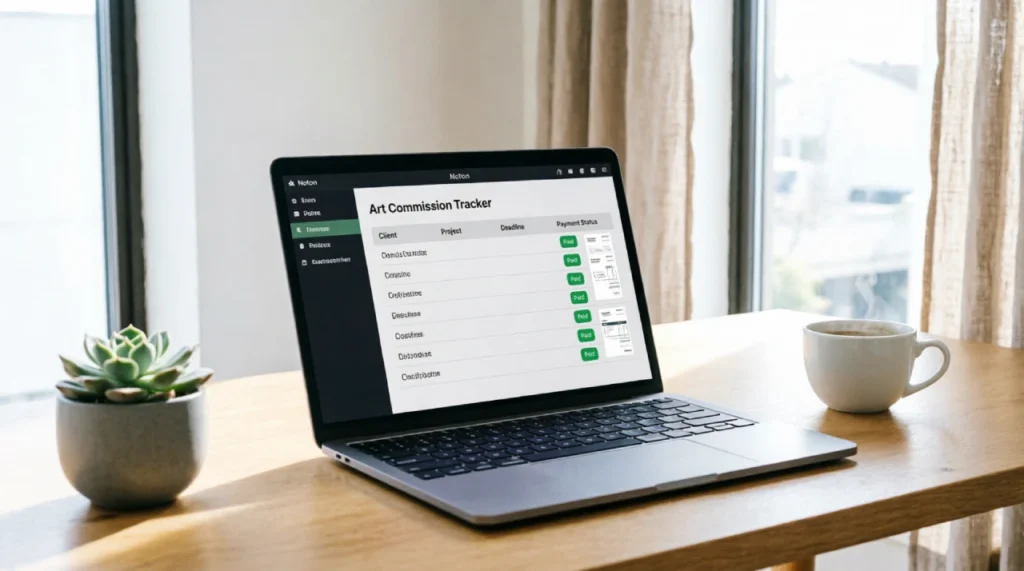
When a commission moves from “sketch approved” to “final rendering,” the invoice populates automatically. This single tool recovers ten to fifteen hours a month.
For file delivery, stop using messy email attachments. Frame.io integrates directly with Adobe apps and lets clients leave time-stamped feedback right on your artwork. The feedback loop shrinks from days to hours, and you can charge a premium for the professional experience. Set “office hours” for all client communication—reply between 10 a.m. and 11 a.m., then close your inbox. Your creative brain needs the uninterrupted afternoons.
Phase 4 – Collect: Metrics That Matter Without Killing Your Soul
Most productivity advice tells artists to track every minute. The result? You feel like a factory worker, and your creativity shrivels. The solution is a different metric: your Creative Yield Rate.
Your Creative Yield Rate is the number of completed artworks you deliver divided by the hours you spend on administrative and non-creative tasks. It measures how well your system protects your art time. If you completed eight commissions this month and spent twenty hours on admin, your rate is 0.4. Cut admin to ten hours, and your rate jumps to 0.8. You’ve doubled your creative output without painting any faster.
Tracking this shifts your focus from “how many hours did I grind” to “how much of my life did my systems save.” Update a simple spreadsheet in sixty seconds at the end of each week. Also, do a monthly portfolio review. Notice which types of work feel most energizing and have the highest yield rates. That’s business intelligence you can use to shape your client roster.
The Offline-Creative & Privacy-First Toolkit
A massive, unspoken fear among professional concept artists is that uploading client work to cloud AI tools violates NDAs or leaks proprietary designs. If you work under strict confidentiality, you need an entirely offline workflow.
Krita is a professional-grade open-source painting application that costs nothing and runs locally. Pair it with a local installation of Stable Diffusion via the Automatic1111 web UI. You download the model files once, disconnect from the internet, and generate textures or reference studies entirely offline.
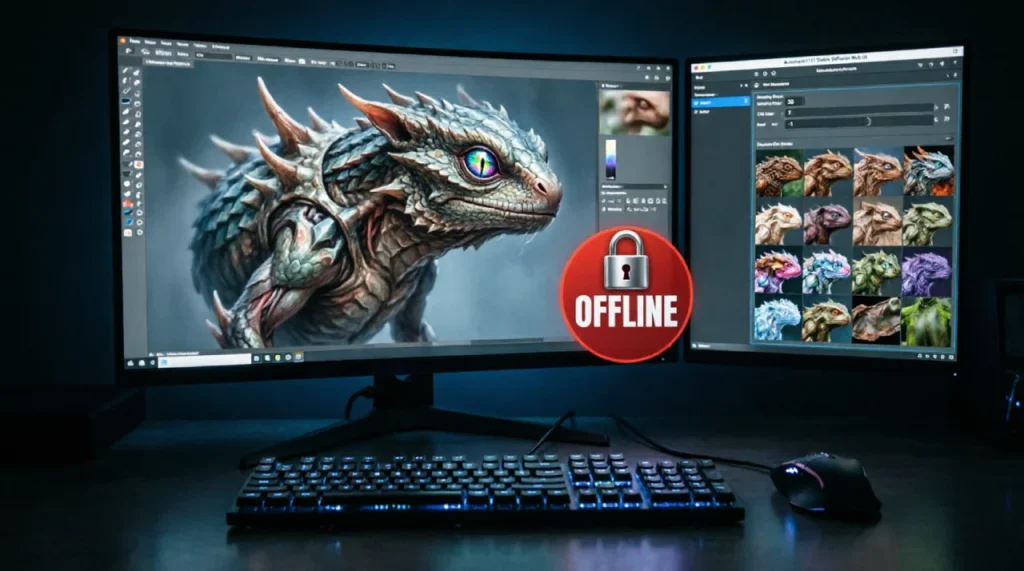
No data ever leaves your hard drive. No third party sees your client’s character design. Blender handles 3D blockouts without subscription fees. The entire privacy-first stack costs you nothing and keeps your contracts rock solid.
The Anti-Grind: Safeguarding Your Creative Spirit
You can build the most efficient system on the planet and still wake up hollow. The creative mind needs fallow periods, unstructured play, and analog experiences that don’t track metrics. Once a week, put every digital device in another room. Spend two hours sketching with real charcoal or walking without headphones. Your brain processes subconscious connections only when you stop feeding it input.
Your Creative OS must have an off switch. Physical health fuels creative stamina, so consider exploring essential health and fitness apps that keep your body resilient through long painting hours. Close Notion on Friday afternoon. Leave the iPad in the studio. The system exists to give you more life, not to consume all of it. When you treat your creative energy as a finite, precious resource, you design workflows that protect it rather than exploit it. That’s the real balance of creativity and productivity for artists: tools that serve the maker, never the other way around.
Important Tips for Creativity and Productivity for Artists
Start your day with a ten-minute analog warmup sketch before touching any device. It signals to your brain that you’re an artist first and a technician second.
Never use time-tracking that monitors every second of your painting. Track project milestones instead, like “sketch approved” or “final render delivered,” and let the process breathe.
Invest in one hardware upgrade that reduces physical strain. The TourBox console prevents repetitive strain injuries and pays for itself in fewer sick days and longer pain-free sessions.
When you discover repetitive steps you do on every project, automate them immediately. Photoshop Actions and Clip Studio Auto Actions record your sequence and replay it with a single click, saving hours over a year.
Review your tool subscriptions quarterly. Many artists pay for Adobe’s full Creative Cloud at $54.99 per month when the $9.99 Photography Plan covers everything they actually use.
Protect your morning creative window like a guard dog. No meetings, no calls, no email checks before 1 p.m. if you do your best painting in the morning.
Build a “creative emergency kit” with three go-to prompts, reference packs, and a playlist that has reliably sparked flow in the past. When a deadline looms and inspiration is gone, you open the kit and start moving your hand.
Frequently Asked Questions
How do I stay creative when I’m busy?
Creativity under pressure comes from having a pre-built Capture system filled with ideas and references you collected during calmer moments. When you’re busy, pull from the vault. Give yourself fifteen minutes to combine two existing references in a new way, and your brain shifts into create mode because the starting point already exists.
Can AI make me a more productive artist?
Yes, when you use it for the parts of your workflow that aren’t the art itself. AI excels at generating concept thumbnails, exploring texture variations, and automating tedious tasks like masking hair in Photoshop. Treat it as a junior assistant that does the grunt work so you can focus on final creative decisions.
What is the best daily routine for a digital artist?
A sustainable routine separates creative work from business tasks. Start with an analog warmup, do a three- to four-hour deep work block with notifications off, take a real lunch break, then handle client communication and admin in a single afternoon batch. End the day by capturing loose ideas into your system and closing everything down.
How do I stop procrastinating on art commissions?
Break every project into tiny, clear steps: “open reference board,” “rough sketch thumbnail one,” “rough sketch thumbnail two.” When the next action is small and obvious, resistance drops. Schedule the most dreaded part for the very beginning of your session when your willpower is highest.
Does tracking time kill creativity?
It kills it if you track every minute and judge your worth by hours logged. The Creative Yield Rate shifts attention to how many finished pieces your system enables. You’re measuring workflow effectiveness, not sweat. That subtle reframe keeps you improving without turning your studio into a panopticon.
What hardware do I actually need to speed up my art?
You need tools that reduce physical friction. An iPad Pro M4 with Apple Pencil Pro if you’re mobile, or a Wacom Cintiq Pro with a TourBox controller if you work at a desk. Add a color-accurate monitor like the ASUS ProArt series for print work. Invest in ergonomics that keep your body pain-free for decades.
Your creative life deserves a system that expands your capacity without extracting a soul-level toll. The four-phase Creative OS gives you a repeatable framework that turns chaos into a sustainable engine. Every tool, from rapid AI-assisted concepting to the privacy-first offline stack, exists to protect your focus and multiply your output. The real win is closing the laptop on Friday, confident that your tracker holds all the details, your files are delivered, and your weekend belongs entirely to you. That’s the true benchmark of creativity and productivity for artists: a career that hums along efficiently while leaving you space to remember why you fell in love with making art in the first place.